System Map
Gain a high-level overview of your project's architecture, data structures, and execution flows.
The System Map is Relia's high-level visualization engine. It breaks down complex, AI-generated codebases into understandable mental models, providing a "blueprint" of how your application actually works.
Key Components
Relia's System Map is divided into three primary views that help you navigate your code from different perspectives.
1. System Blueprint
The high-level summary of your project. It automatically identifies:
- Platform Purpose: What the application is built for (e.g., E-commerce, SaaS).
- Technology Stack: Automatically detected frameworks and tools (e.g., Flutter, Next.js, Dart).
- System Methodology: The architectural patterns used (e.g., Model-View separation, Component-based).
2. Key Data Structures
Understanding how data flows starts with understanding the data itself. Relia maps out:
- Entities: Key objects like
Product,Category,User. - Fields: The attributes associated with each entity.
- Usage: Which files and modules interact with specific data structures.
3. Feature Routing Tree
This is where execution starts. It maps out your application's features and their entry points.
- Entry Points: The main file where a feature begins (e.g.,
home_page.dart). - Supporting Files: All dependencies required to make that feature work.
- Complexity Analysis: Visual indicators (Simple, Moderate, Complex) to help you prioritize audits.
Visualizing Logic Flow
One of the most powerful features of the System Map is the Logic Flow Diagram. It converts raw code into a step-by-step visual execution path.
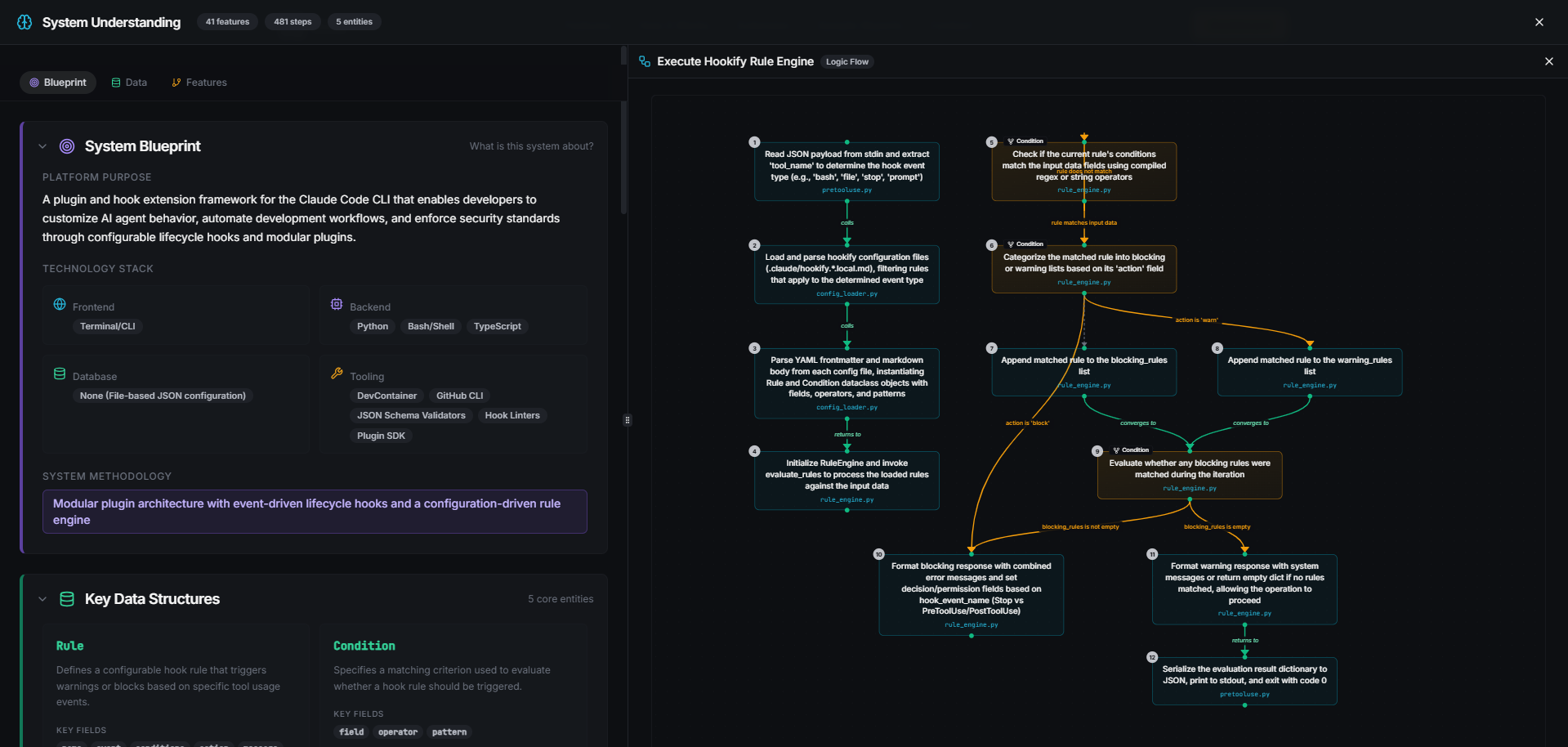
Mapping Initialization
Relia identifies how a module starts (e.g., "Initialize HomePage widget").
State & Build
Follow the flow as state is created and widgets/components are built.
Data Mapping
Watch how data from your structures is mapped to your UI or logic.
Conditions & Branches
Clearly see decision points and how the code handles different logical paths.
System Map is especially useful for onboarding new developers or verifying that AI-generated code follows your expected architectural patterns.
Up next: Learn how to deep-dive into security risks with System Scan.